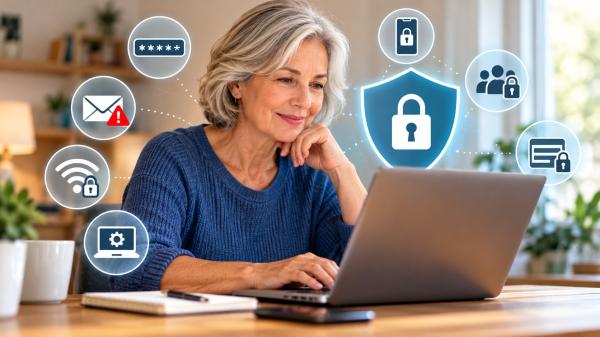
Checking email, paying bills, shopping, and sharing photos have become part of everyday life. These activities are convenient, but they also involve personal information that deserves protection.
Your name, address, phone number, passwords, and financial details can be valuable to criminals. A convincing message or an account with a reused password may expose more information than you intended.
You do not need to avoid the internet to protect yourself. A few practical habits can help you reduce risks, secure your accounts, and respond more confidently when something seems wrong.
1. Be Careful About What You Share Online
Personal information can reveal more than you realize. A birthday, a public profile, and a few family details may help someone guess security answers or impersonate you.
Before posting, consider whether strangers need to see the information.
Here are a few sensible precautions:
- Avoid publishing your home address, phone number, or other sensitive details on public profiles.
- Think twice before sharing travel dates or announcing that your home will be empty.
- Review who can see your photos, posts, and personal information on social media.
- Avoid posting photographs that reveal documents, identification cards, or other private details.
You should also be cautious when a business requests your Social Security number. Ask why it needs the number, how it will protect it, and whether another identifier will work. The Federal Trade Commission (FTC) recommends limiting the disclosure of sensitive information when possible.
2. Use Strong, Unique Passwords
A password protects access to your email, shopping accounts, financial services, and other personal information. Reusing the same password across multiple websites creates an unnecessary risk.
If criminals obtain one password, they may try it on other services.
To make your accounts safer:
- Use a long, unique password for each account.
- Consider a password manager to create and store passwords securely.
- Avoid passwords based on information others can easily discover, such as your birthday or family members’ names.
- Change a password promptly if a service reports that it was exposed in a data breach.
The Cybersecurity and Infrastructure Security Agency (CISA) recommends passwords that are at least 16 characters long, random, and unique to each account.
A password manager can make this easier because you do not have to memorize every password. Choose a reputable service and protect access to it with a strong password and multifactor authentication when available.
3. Turn On Multifactor Authentication
A strong password is useful, but it is not always enough. Multifactor authentication (MFA) adds another verification step when you sign in.
Depending on the service, you might approve a login through an authentication app, use a security key, or enter a temporary code.
Even if someone obtains your password, this additional step can make unauthorized access more difficult.
Enable MFA on your email, financial accounts, social media, and other services that offer it. An authentication app or security key can provide stronger protection than a code sent by text message, when those options are available.
Never share a verification code with someone who contacts you unexpectedly. A caller or message sender may claim to represent a bank or technology company, but that claim does not establish their identity.
If you receive a login approval request you did not initiate, do not approve it. Review your account security and investigate through the service’s official website or app.
4. Recognize Suspicious Emails, Texts, and Websites
Phishing occurs when someone tries to trick you into revealing information, opening a harmful attachment, or visiting a fraudulent website.
These messages may appear to come from a bank, delivery company, government agency, or someone you know. They may claim that an account has a problem or that immediate action is required.
Watch for warning signs such as:
- Unexpected requests for passwords, financial details, or verification codes.
- Messages that pressure you to act immediately.
- Links that lead to unfamiliar or misspelled web addresses.
- Unexpected attachments or requests to install software.
- Payment demands or unusual instructions that cannot be independently verified.
A professional-looking message is not necessarily legitimate. Scammers can copy logos, names, and familiar designs.
If a message claims there is a problem with your account, do not use its link or phone number to investigate. Instead, open the company’s official app or type its known website address into your browser. You can also contact the organization using a trusted phone number.
For more warning signs, read our related guide, How to Spot a Fake Text Message or Email.
5. Keep Your Devices and Apps Updated
Your phone, computer, browser, and applications may contain security weaknesses that developers address through updates.
Delaying updates can leave known vulnerabilities uncorrected.
Whenever practical, enable automatic updates for your operating system and applications. Install updates through your device’s settings or the software provider’s official website.
You can also strengthen device security by taking these steps:
- Use a screen lock with a strong PIN, password, or supported biometric method.
- Download apps from trusted sources.
- Remove applications and browser extensions you no longer use.
- Avoid unexpected downloads or software installations prompted by suspicious messages.
- Back up important files regularly.
Updates cannot prevent every attack, but they help keep your devices protected against known security problems.
6. Use Public Wi-Fi Carefully
Public Wi-Fi can be convenient in hotels, airports, libraries, and coffee shops. However, you should not automatically assume that every network is trustworthy.
When possible, use a trusted network for sensitive activities. If you must use public Wi-Fi, avoid unfamiliar websites and pay attention to browser security warnings.
Check that the website address begins with HTTPS before entering personal information. HTTPS encrypts information exchanged with the website, although it does not prove that the website itself is legitimate.
Other useful precautions include:
- Confirm the network name with the business providing the connection.
- Avoid entering sensitive information into unfamiliar websites.
- Do not ignore certificate warnings or unexpected security alerts.
- Log out of accounts when you finish using a shared or public device.
- Consider using your phone’s mobile data for particularly sensitive transactions.
A reputable virtual private network (VPN) may provide additional protection in some circumstances. However, a VPN does not make fraudulent websites trustworthy or eliminate every privacy risk.
7. Review App Permissions and Privacy Settings
Apps sometimes request access to information or device features that they do not need for their main purpose.
For example, a simple application may request access to your contacts, location, microphone, or photographs.
Review these permissions periodically through your device’s settings. Restrict access when a permission is unnecessary, and remove apps you no longer use.
It is also worth reviewing your social media privacy settings. Check who can view your profile, find you through your phone number or email address, and see your posts.
Read privacy notices before providing sensitive information to unfamiliar services. Be especially cautious about uploading identification documents or providing personal details to websites you have not verified.
No single setting guarantees privacy. The goal is to share less unnecessary information and understand how services may use the information you provide.
8. Know What to Do If Your Information Is Exposed
Discovering that someone may have accessed your information can be unsettling. Acting promptly can help limit further problems.
The appropriate response depends on what happened and which information was exposed.
If a password may have been compromised:
- Change it immediately using the service’s official website or app.
- Change the same password on any other accounts where you reused it.
- Secure your email account, especially if it can be used to reset other passwords.
- Review recent account activity and sign out unfamiliar sessions when the service allows it.
If financial information may be exposed:
- Contact your bank or card issuer using a trusted phone number.
- Review transactions and report unauthorized activity promptly.
- Follow the institution’s instructions for securing your account or replacing a compromised card.
If someone may be using your identity:
Visit IdentityTheft.gov, the FTC’s official identity-theft resource. It provides guidance on reporting identity theft and developing a recovery plan.
Depending on the circumstances, you may also consider placing a fraud alert or credit freeze with the appropriate credit bureaus.
Keep records of suspicious messages, account alerts, and communications related to the incident. Do not feel embarrassed if you responded to a convincing message. The priority is to secure your information and take the appropriate next steps.
Start With One Simple Step
Protecting your personal information online is an ongoing process, not a task you complete once and forget.
You can start by securing your primary email account, enabling multifactor authentication, or replacing a password you have reused elsewhere.
Then review your privacy settings and become more cautious about unexpected requests for personal information.
Small, consistent actions can reduce unnecessary exposure and help you use online services with greater confidence.
For additional guidance, visit the FTC’s Identity Theft and Online Security resources and CISA’s Secure Our World guidance.
Sources and References
- Federal Trade Commission (FTC). Protect Your Personal Information From Hackers and Scammers.
- Federal Trade Commission (FTC). Creating Strong Passwords and Other Ways To Protect Your Accounts.
- Federal Trade Commission (FTC). How To Secure Your Home Wi-Fi Network.
- IdentityTheft.gov. Official Identity Theft Reporting and Recovery Resource.
- Cybersecurity and Infrastructure Security Agency (CISA). Secure Our World.
- 1. Be Careful About What You Share Online
- 2. Use Strong, Unique Passwords
- 3. Turn On Multifactor Authentication
- 4. Recognize Suspicious Emails, Texts, and Websites
- 5. Keep Your Devices and Apps Updated
- 6. Use Public Wi-Fi Carefully
- 7. Review App Permissions and Privacy Settings
- 8. Know What to Do If Your Information Is Exposed
- Start With One Simple Step
- Sources and References