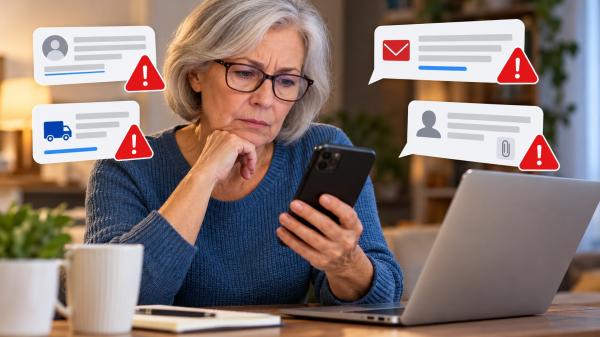
A message arrives claiming your bank account has a problem. Another says a package cannot be delivered. A third warns that you must confirm your personal information immediately.
These messages may look convincing, even when they come from scammers.
Fake text messages and emails are common tools used in phishing scams. Their goal is often to steal passwords, financial information or personal details. Some messages also try to persuade people to send money or download harmful software.
The good news is that you can learn to recognize common warning signs. Knowing what to look for can help you pause, verify the message and protect your information before taking action.
What Is a Fake Text Message or Email?
A fake message is designed to make you believe it comes from a legitimate person, business or organization. Scammers may pretend to represent a bank, delivery service, retailer, government agency or someone you know.
This type of fraud is often called phishing. Scammers use deceptive messages to persuade people to click links, open attachments, share sensitive information or make payments.
A fraudulent message does not always contain spelling mistakes or obvious errors. Some look professional and include familiar names, logos or personal details.
That is why it helps to examine the request itself, not just how the message looks.
7 Warning Signs of a Fake Text Message or Email
1. The Message Creates a Sense of Urgency
Scammers often want you to act before you have time to think.
A message might claim your account will be suspended, a package will be returned or a payment must be made immediately. It may threaten a penalty if you do not respond.
Urgency alone does not prove fraud. However, pressure to act without independent verification is a reason to be cautious.
What to do: Pause and check the claim through a trusted website, app or phone number you already know.
2. The Sender’s Address or Number Looks Suspicious
Look closely at the sender’s email address, domain name and other identifying details.
A fraudulent email might use an address that resembles a real company’s name but contains extra characters or an unfamiliar domain. A text message might come from an unexpected number.
However, a familiar sender name or phone number does not guarantee authenticity. Scammers can sometimes disguise the information that appears on your screen.
What to do: Do not rely on the sender’s name alone. Verify unexpected requests independently.
3. The Message Requests Sensitive Information
Be cautious when an unexpected message asks for your password, Social Security number, bank account details or verification code.
Scammers may claim they need this information to confirm your identity or resolve a supposed account problem.
Never share a one-time security code with someone who contacts you unexpectedly. A scammer may use that code to access your account.
What to do: Contact the organization directly using its official website or a trusted phone number. Do not provide sensitive information through an unverified link or reply.
4. The Message Contains an Unexpected Link or Attachment
A message may include a link to check a delivery, review an invoice or correct a billing issue. An attachment might appear to be a receipt or account statement.
The destination could lead to a fake website designed to collect your information. An attachment could also contain harmful software.
What to do: Avoid clicking unexpected links or opening suspicious attachments. If the message concerns an account or delivery, check it through the company’s official website or app.
5. The Greeting or Details Do Not Match the Situation
Some fraudulent messages use generic greetings, unfamiliar account details or claims about purchases you do not recognize.
Others may contain unusual wording or small inconsistencies.
Still, not every legitimate company uses your name, and some genuine messages contain mistakes. Perfect grammar does not prove a message is safe, either.
What to do: Consider whether the message matches your actual activities. Verify any unexpected account problem or payment request independently.
6. The Message Requests an Unusual Payment
Be especially careful if a message asks you to pay through gift cards, cryptocurrency, wire transfers or another unusual method.
Scammers may claim that a payment is necessary to release a package, resolve a legal problem or protect your money.
A demand for secrecy or instructions to avoid contacting your bank or family can be another warning sign.
What to do: Do not send money based on an unexpected message. Verify the claim independently and speak with someone you trust if you feel pressured.
7. A Message From Someone You Know Feels Unusual
Not every suspicious message comes from an unfamiliar sender.
A message appearing to come from a friend, relative or coworker might request emergency financial help, ask for personal information or include an unexpected link.
Someone’s account may have been compromised, or another person may be impersonating them.
What to do: Contact the person through a different, trusted channel. If they request money, confirm their identity before taking action.
How to Verify Whether a Message Is Real
You do not need to investigate every technical detail to make a safer decision. Follow these steps whenever a message raises concerns.
1. Do not click or reply immediately. Give yourself time to examine the request.
2. Open the official website or app independently. Type the known address into your browser or use an app you already trust.
3. Contact the organization directly. Use a phone number from a previous statement, official website or trusted source, not the suspicious message.
4. Check your account independently. If a message claims there is an unusual charge, sign in through your usual method to review your activity.
5. Confirm requests from people you know. Call them or contact them through another established communication channel.
The Federal Trade Commission (FTC) recommends contacting companies through information you know is genuine rather than relying on the contact details in an unexpected message. Its guide, How To Recognize and Avoid Phishing Scams, offers additional guidance.
What to Do If You Already Clicked a Link or Replied
If you have interacted with a suspicious message, do not panic. The appropriate response depends on what happened.
- If you shared a password: Change it immediately through the legitimate service. If you reused that password elsewhere, change it on those accounts, too.
- If you shared banking or payment information: Contact your bank or financial institution using a trusted number. Explain what happened and ask what protective steps are appropriate.
- If you shared your Social Security number or other identity information: Visit IdentityTheft.gov for guidance based on the information exposed.
- If you clicked a link or downloaded a file: Avoid further interaction with the site or file. Update your device’s security software and run a scan if appropriate. If you entered account credentials, secure those accounts promptly.
- If you sent money: Contact the payment provider or financial institution immediately. Ask whether the transaction can be stopped, reversed or otherwise addressed.
If you only opened a message, that does not automatically mean your information has been stolen. However, if you clicked a link, entered details or downloaded a file, take the relevant precautions.
You can also enable multifactor authentication on important accounts and keep your devices updated to strengthen your security.
Where to Report Fake Text Messages and Emails
Reporting suspicious messages can help organizations identify scams and warn other consumers.
In the United States, you can take these steps:
- Report fraud to the FTC: Visit ReportFraud.ftc.gov.
- Report suspicious text messages: Forward the message to 7726 (SPAM), if supported by your mobile carrier. You can also use your messaging app’s spam-reporting option.
- Report phishing emails: Forward them to reportphishing@apwg.org, the Anti-Phishing Working Group’s reporting address.
For additional instructions, consult the FTC’s guide to recognizing and reporting spam text messages.
You do not need to be certain that a message is fraudulent before taking reasonable precautions. When something seems suspicious, avoid interacting with it until you can verify the claim.
A Simple Rule for Safer Messaging
A convincing message is not necessarily a genuine one. Scammers can imitate familiar organizations, use professional language and create situations that feel urgent.
When a text or email asks you to act quickly, share sensitive information or send money, pause before responding.
Verify the request through a separate, trusted channel. If you discover that your information has been exposed, take action promptly rather than blaming yourself.
A few careful steps can help you protect your accounts, your identity and your peace of mind.
Read Next: How to Protect Yourself From Identity Theft
- What Is a Fake Text Message or Email?
- 7 Warning Signs of a Fake Text Message or Email
- 1. The Message Creates a Sense of Urgency
- 2. The Sender's Address or Number Looks Suspicious
- 3. The Message Requests Sensitive Information
- 4. The Message Contains an Unexpected Link or Attachment
- 5. The Greeting or Details Do Not Match the Situation
- 6. The Message Requests an Unusual Payment
- 7. A Message From Someone You Know Feels Unusual
- How to Verify Whether a Message Is Real
- 1. Do not click or reply immediately. Give yourself time to examine the request.
- What to Do If You Already Clicked a Link or Replied
- Where to Report Fake Text Messages and Emails
- A Simple Rule for Safer Messaging
- Read Next: How to Protect Yourself From Identity Theft